 Photo credit courtesy of Richard and Tanya Hories
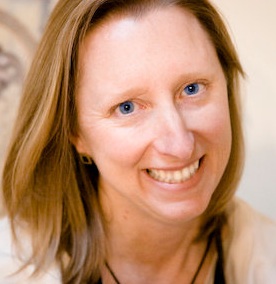
Lesa Snider will be teaching all workshops on the Design, Photoshop and Graphic Imagery Series including The Skinny on Great Design, Image Editing Bootcamp with Photoshop Elements, Photoshop: Quick Photo Fixes, Photoshop: Combining Photos and Vectors, and Elements: From Photo to Graphic Art. See all workshops here
1. How and when did you become a Geek Girl?
I have always loved computers and in school I found them fascinating. When I grew up and became a secretary, I delighted in recreating print documents and forms on my computer using WordPerfect for DOS—my daily success was measured by how little I used my typewriter. The only thing I didn’t like was how ugly the programs were: the backgrounds were always black or royal blue, with (full-bodied shudder) red or green type. Some programs allowed a modicum of visual customization, but the danger of damaging your eyesight was prevalent (imagine red type on a royal blue background!). Still, computers were way more fun than typewriters. No more using calculators either! Each time I had to perform a calculation repetitively, I created a spreadsheet that would do it for me. Although I was “Suzy Super Computer-Using Secretary,” I had no clue how the computer actually functioned, nor did I care.
When I saw my first Macintosh, my eyes were wide as saucers. It was colorful! It had little pictures on the desktop! No more black or royal blue screen and funky colored type! (Although with some tweaking in the customization settings you could attain that horrid look.) I don’t know how but that little Mac exuded a feeling of friendliness and ease of use. Even the cables in the back were “picture-coded” to the plugs in which they belonged! As far as the software, I could poke around in any folder on the hard drive, double-click on anything, and the computer told me what that item was used for. If it was something I shouldn’t be messing with, a dialogue box would appear stating, “This extension is used by the system and cannot be opened.” When I wanted to delete something I threw it in the trashcan. And wow, I could open several documents at once, move the windows around, and a word processing document actually looked on screen exactly like it would print.
The Mac seemed logical, pure and simply, and it seemed interesting. I knew at that moment when the time came for me to buy a home computer, I would buy a Macintosh. It would be something I could operate, maintain, and upgrade myself; no need to call the expensive PC technician to come fix my computer. I could install new software, attach new peripherals, and even upgrade the memory all by myself. It was truly a feeling of computing independence and great power.
I proudly brought home my first Macintosh from Montgomery Wards, a beautiful Performa 575, in May of 1993. By the end of the first night I had watched the space shuttle launch via QuickTime movie (albeit postage-stamp size). I had set up all of my personal and business accounting in Quicken, and created myriad word processing documents and forms. I easily constructed a database from which I could generate Christmas card labels and rolodex cards. I even made a template for file folder and hanging file labels to beautify my filing cabinet. That very same night, I contacted Apple about finding a local user group.
In 1995, I quit my secretarial job and started a typing service called Flying Fingers (I’m freakishly fast and accurate) and had a fun two years of typing everything from dissertations to naughty poetry to USDA training workbooks to the journal of a young woman who thought she was being stalked (eek!). As I began to get more requests for graphic design, I enrolled in the Art Institute of Dallas. However, before graduation, I began volunteering for Apple at Macworld Expo in January of 2000 (through a user group contact). I served as a Macworld Expo Tour Guide and became heavily involved with the Mac User Group community. I was newsletter editor, web mistress, and then President of the Cowtown Macintosh Users Group for many years (I created the club’s web site as part of my web development classes at the Art Institute and it won an award at Macworld).
At the height of my user group involvement, I served two years on the Apple Advisory Board (a global organization run by Apple) and was heavily involved in planning several full-day “User Group Universities” which used to take place the day before Macworld. Through my involvement with the Mac community, I met David Pogue (technology columnist for the New York Times and founder the Missing Manual book series) and became his assistant for about six years. David taught me so much about using technology in my life, and has been integral to my success as a writer (though I could have done without the all-nighters here and there when we were trying to finish one of his books!). If I hadn’t gotten interested in the Mac and then gotten involved with the user group community, I wouldn’t have had the opportunities that shaped my career.
2. Technology is so big, so diverse: in what parts are you an expert? in what realms are you still learning?
I stay on top of most things involving the Mac, and as a stock photographer/image editing specialist I stay abreast of the current crop of digital cameras (both the point-and-shoot and interchangeable lens [dSLRs] variety) as well as image editing software. Other technological fetishes (obsessions?) include my TiVo with streaming Netflix, Nintendo Wii, and Garmin GPS (I’d be hardpressed to find my way out of the drive without it!).
I could stand to learn more about prepress (the realm of print), video editing, audio systems, and high-end cocktail mixology 
3. Did you have an experience growing up or as an adult where you felt the huge divide between women and technology?
Heck yes! I saw women being pigeonholed into secretarial jobs when I was younger, and admittedly that’s what I did until I started my own company in 1995 (in Texas where I grew up, learning to type was the only way to ensure working in air conditioning during the summer!). I think women need more encouragement to get into technology fields and that appears to be happening, but not fast or early enough—you should see the happy dance I do when a female makes the cover of Fast Company magazine!
4. If you answered yes, how did you handle it?
I defied convention and went after a career in the boys’ sandbox anyway. My parents raised me with the notion that I can do or be anything I want, and I took literally. When someone tells me no, it simply means not right now. That’s a philosophy that continues to serve me very well.
5. What was your favorite part of Geek Girl Camp 2009?
The martini Leslie and I had after it was over. Aside from that, the excitement of the women and pure joy on their faces as they gathered in the main lobby at the days’ end. It was incredible! I loved seeing them so happy and empowered about what they had learned. Ideas that seemed far off and impossible now seemed attainable to them. I’ve been to all of the Geek Girl Camps thus far, and the reaction is always the same.
6. List 3 ways that women (or you specifically) can have an impact on technology.
- Be vocal and give feedback regarding the technology we use and want to use. Take surveys when they’re offered and be sure to check the FEMALE box if it has one.
- I try to be as visible and accessible as possible in a variety of technology fields.
- To be a good example for other women wanting to get into writing or speaking about technology.
7. If you could change one thing about the world (and we know you can) what would it be?
Aside from taking siestas like the rest of the civilized world, I’d like to see women get equal pay and as many opportunities as men.
8. What is your desire, wish or goal for Geek Girl Camp 2010?
To drive home the fact that women can do anything they want if they set their mind to it.
9. If the Geek Girls could have 1 minute to talk to the world, what would we say?
That women are passionate and driven learners who place a high value on their skills. If more companies understood this, they’d move more product
Lesa Snider’s Bio:
Lesa is on a mission to teach the world to create–and use!–better graphics. She’s a stock photographer and chief evangelist for iStockphoto, and founder of the creative tutorial site GraphicReporter.com. Lesa is the author of Photoshop CS4: The Missing Manual (Pogue Press/O’Reilly) and many video training titles including From Photo to Graphic Art, Practical Photoshop Elements, and Photoshop Elements 8 for Photographers (all by KelbyTraining.com), plus Graphic Secrets for Business Professionals (Lynda.com). She writes a regular column for Photoshop User, Elements Techniques, and Macworld magazines, and contributes frequently to CreativePro.com and Layers. Lesa is also a member of the Photoshop World Dream Team of instructors and can be spotted teaching at other conferences such as Macworld Expo, UCDA Design Conference, Geek Girl Boot Camp, Graphics of the Americas, Santa Fe Workshops and many more. During free time, you’ll find her carving the twisties on her sportbike or hanging with fellow Apple Mac enthusiasts. Lesa is a proud member of the BMWMOA, F800 Riders Club, and CoMUG.


 Who are you and what do you do?