
 All Entries Tagged With: "QuickBooks Tips"
How Do I Track Multiple Departments or Revenue Centers In QuickBooks?
What are your major revenue centers? Do they have their own independent income and expense. Do you need to sometimes see them together and apart? If so you may need to use classes in QuickBooks. This function allows the classification…
Syncing Your QuickBooks Contacts with Constant Contact
Now the question is how do you use your existing list of customers, most commonly found in your accounting system, to help generate revenue or just deepen the relationship. If your accounting system is QuickBooks and your email marketing program is Constant Contact importing your contacts is very simple.
Starting Setting Up or Editing Your Chart of Accounts
QuickBooks needs to be set up properly to work properly. If you don’t know what an asset or a liability are you will need to learn. There are dozens of options to learn, but one of the easiest is Kahn Academy.
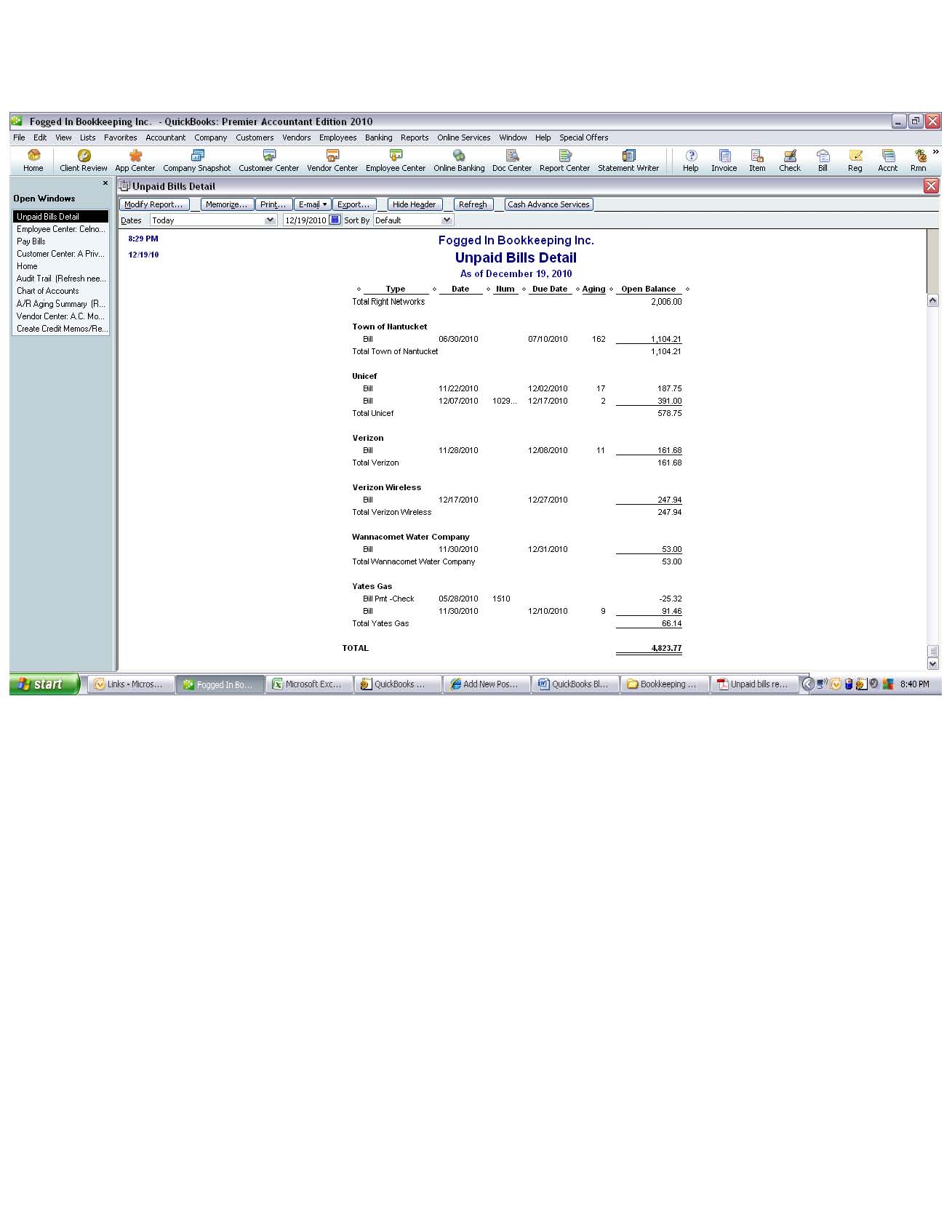
Exporting Quickbooks Reports to Excel
QuickBooks offers an export function within most report windows. It can be found in the same tool bar as the modify button. The export button will open the report you are viewing in a new excel window or you can choose…

Quickbooks Custom Designs for Your Templates
Creating your own custom look can take less than 20 minutes!

Top 10 Reasons to go to Geek Girl Boot Camp…
Here are the Top 10 Reasons to go to Geek Girl Boot Camp on Saturday, March 19th from 8 am. to 6 p.m. at the Cape Cod Community College in West Barnstable:
10.) Not a Geek?…

Using QuickBooks To Make A Workers’ Comp Audit Easy
The final report will show all subcontractors paid during your audit period, their workers compensation dates and your auditor can either work from this list for a random sampling in an in person audit or it can be printed and included in a mail in audit.
Backing Up Your QuickBooks: Basic But So Important
How many times have you heard the horror stories about people who lose a hard drive and spend months digging out? We hear it at least once a month. We have people every year that walk through our door and…

Printing 1099s and 1096s From QuickBooks For 2010 Business Activity
Printing 1099s and 1096s From QuickBooks For 2010 Business Activity
Preparing 1099’s can be as simple as 1-2-3. QuickBooks has a built-in 1099 function. The function can be found in the vendor drop down menu. When you select the “Print…

Printing Labels From Your QuickBooks Program
With year end fast approaching it is time to start printing those new file labels or maybe to do that year-end mailing. Printing labels for vendors or customers is easy with QuickBooks. Select “print forms” from your file drop down…

Quickbooks Audit Trail, More Than “Who Done It”
If you have ever had the experience of being blamed for something you weren’t responsible for you can know what a terrible experience that can be. Anyone with a sibling knows exactly what I am talking about. Well if you…

IRS Is Now Requesting Copies of QuickBooks Data Files During Audit.
There is now the possibility that they will request an actually copy of your QuickBooks file not just your printed general ledger. Here are some things you need to keep in mind.
Internet Security and Quickbooks
There was a time when your biggest worry was someone listening in on your call on the party line. Now we have a barrage of security worries. Most recently we have had several breaches of security locally…
Check Fraud You Need to Look Out For
Theft is alive and well even in small communities and seaside vacation destinations like Cape Cod and Nantucket. In the past several weeks we have seen a rise in fradulent transactions going through customer bank and credit card accounts. With…

Increase Your Collections Success by Using the Customer Notes Field
Use the customer notes field keep track of collections actions and to create a log. Each time there is customer contact regarding monies owed make a note of the date, content of the conversation, and any follow…