How many of you were on the early platforms of Social Media? Friendster? Classmates? MySpace?
![A History of Social Media [Infographic] - Infographic](http://netdna.copyblogger.com/images/history_of_social_media.jpg "A History of Social Media [Infographic] - Infographic")
Thanks to Copyblogger


How many of you were on the early platforms of Social Media? Friendster? Classmates? MySpace?
Thanks to Copyblogger
 Who are you and what do you do?
My name is Heather Jackson and I do the monkey dance. I also own 2 marketing businesses, Hammerhead Creatives and ActionJackson Marketing. Hammerhead Creatives specializes in custom logo’d apparel and promo products- aka SWAG like the sweet thermal bags you get at the conference. Through ActionJackson Marketing I provide e-mail newsletter marketing services including presentations to businesses and associations as well as individualized training and campaign management. As an Authorized Local Field Expert for Constant Contact, I am able to offer extended services and expertise.
What will you be teaching at the Geek Girl Tech Conference this year?
Sick of spam? (Who isn’t?!?!) Want to make sure your customers don’t think your e-mails are spam? (and thus delete them.) I will be teaching you how to create, write and manage your e-mail newsletter marketing campaigns so that you can be sure your e-mails are opened, read and impactful. Topics of discussion include best practices, tips & trends, how to improve your open/click/share rates, writing killer subject lines and analyzing result. E-mail marketing is extremely powerful if done the right way. I will also be available to answer any general marketing questions as marketing is my passion.
What was your favorite part of the conference last year?
The help desk is an amazing resource- to get 1 on 1 training and actually come away with something concrete is awesome. Then of course I loved the post party.
PC or Mac?
oohh…just switched to a Mac and having some growing pains (I need GGC help!) but love the intuitiveness of it…but I love my Android that let’s me run my business anywhere.
When did you first know you were geeky?
When I wrapped a Geek Girl Coozie around a tasty beverage.
Star Wars or Star Trek?
Starfish. As a native Californian, I’d way rather be in the ocean than in the theatre. I have not missed a polar plunge in 10 years and swam every month in 2010 in Nantucket Sound (yeah- that was on a bet.) There’s a good chance I am part mermaid.
Choose 5 people from any moment of time to have dinner and drinks with. Who would they be and why?
Margaret Sanger – hugely courageous and impactful. Among her great accomplishments, her newsletter was entitled The Woman Rebel: “No Gods, No Masters.” I love bad ass women.
Stephen Colbert- There is nothing better than hanging out with smart & funny people; I put a premium on laughter. Stephen makes me laugh out loud daily; also I like to be with people who clearly love what they do (and are good at it.)
Babe Didrikson Zaharias – fellow Norwegian and amazing athlete. A world class track & field and basketball star, she was best known for her golf prowess (she was the first female to compete in The LA Open, a mens’ PGA event, in 1938, a feat unmatched for 60 years.) Babe was also an accomplished seamstress, harmonica player and pool shark; I am sure she was funny too.
Neil Diamond – if you’ve ever been to one of his shows, you’d know why. Give me some of that unbuttoned purple glitter shirt, a big bad American flag and sing me Forever in Blue Jeans or anything else. (Note: he did point directly at me and sing “I’m a Believer” in San Francisco, 1993, seat 1G; heaven in a 5 color silk shirt and black stirrup stretch pants.)
Our Hound, Miller- I’d love to know what she is really thinking (I think) and how she stays so patient and sweet in spite of all our antics. She probably has some good cat jokes too.
Who do feel has had the most impact on technology in your time?
Tough to go with other than Steve Jobs don’t you think? Product, strategy, branding…best in all areas. If my mom thinks an iPhone is the bees knees (and she can operate it) what more can you say.
Facebook or Twitter?
Facebook as long as I don’t fall into the vortex…but I do try to put my phone away when I am out with friends as they deserve my full attention.
Tell us something about you nobody knows….
When I was 10 my grandfather was President of the Tournament of Roses and in addition to riding in the parade on an antique fire truck, I got to have breakfast and even say grace with Grand Marshall Frank Sinatra (yes his eyes are really blue.)
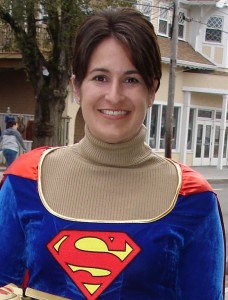 Who are you and what do you do?
My name is Adrienne (as in “Yo! Adrienne”) – I am Geek Girl #8, one-half of the dynamic Geek Girl “Greek Girl” duo, and occasionally have been spotted as Super Girl. By day, my business Koinonikos provides social media management services to small businesses. I’m also part of Constant Contact‘s Local Experts program, which gives me additional super powers.
What will you be teaching at the Geek Girl Cape Cod Conference this year?
I’ll be teaching “3 Keys to Email Marketing” and “The Power of Email Marketing Leveraging Social Media”. It’s good stuff for anyone who sends e-mails for their business; we’ll cover some great best practices!
What was your favorite part of the conference last year?
I always love seeing people’s eyes light up as their brains fill with new geeky knowledge!
PC or Mac?
PC, with occasional Mac envy.
When did you first know you were geeky?
I guess I knew I had geek in my blood when I made my first e-Trade in my crib…which is even more incredible considering it was the 70s.
Star Wars or Star Trek?
I’m a big fan of the original Star Trek series and the Next Generation, but I have to choose Star Wars! Watching those movies now is just as awesome as when I was a kid; however, those old Star Trek episodes look a little hokey. Plus, I still have a crush on Han Solo…
Choose 5 people from any moment of time to have dinner and drinks with. Who would they be and why?
John Lennon, John Belushi, John Candy, John Cleese, and Pope John Paul II – because it’d be a raucous great time, everyone would know each others’ names, but it wouldn’t get too out of control. (said with a wink, of course)
Who do feel has had the most impact on technology in your time?
Steve Jobs. ‘Nuff said.
Facebook or Twitter?
The ADHD in me appreciates Twitter, but I gotta have both!
Tell us something about you nobody knows….
I was a member of my high school Ornithology Club for four years, and President my senior year, effectively making me a geek AND a nerd!

I simply love Sparrow Mail – the new Mail for Macs! And the first social email client. Just updated my latest 1.1 version on my iMac and MacBook Air and even used the Facebook integration. Also found some great Sparrow Mail tips for you if you really love it as much as I do!
The ease!
The efficiency!
The coolness factor!
Not to mention full IMAP support, a unified box, quick replies, multiple accounts, labels and now, Facebook profile pictures!
We have also included a great Cheat Sheet on this post.
There is a cost for Sparrow Mail, but if you are like me, the cost is minimal compared to watch you can do with your mail. Go to the Apple App Store and download Sparrow Mail now. Follow them also on Twitter and Facebook.
Do you use Sparrow Mail? Do you think you might try it? If so, let us know what you think!

Ever wondered how to send a link from Safari on your iPhone by SMS text or email? Here’s how. Wicked easy!
Choose your Safari web browser app.
Tap the web address bar on top of your iPhone Safari web browser.
Press and hold where the URL address is until the “Select/Select All” options come up.
Tap “Select All” and then “Copy.”
Close the web bowser and then choose which way you want to send the link, whether by text or email.
Then press the “Create New” icon and then tap on the blank space where you would usually type the message you were sending.

Press “Paste” and then type in a recipient for your message and press “Send.”
So easy!

For more TechBytes tips on iPhones, go here and see some past posts> iPhone Tips
Hello there fellow Googlers and Gmail users!
Are you bored and sick of white? Well have no fear – the color fairy is here!
Did you know you change the color theme on your Gmail? To something…well…less white?
It’s so easy – here’s how:
Sign into your Gmail account.
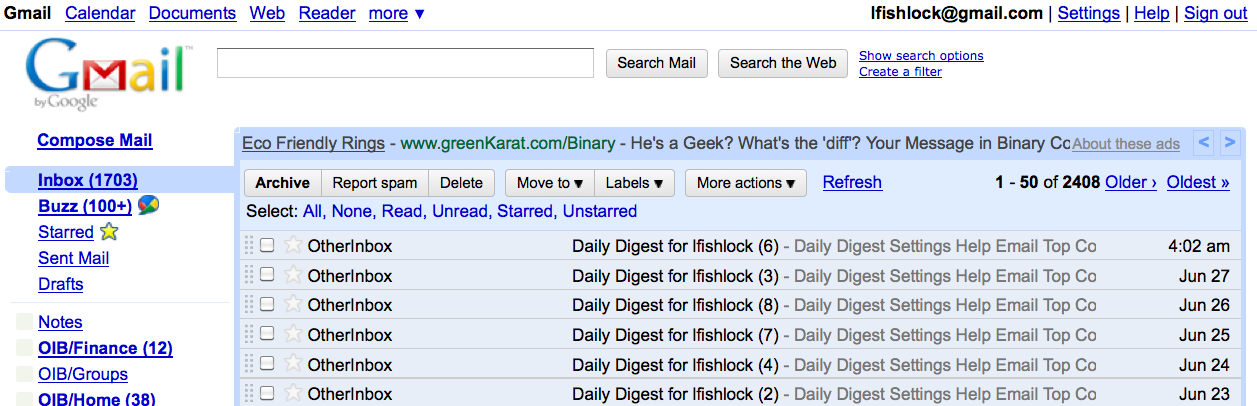
It will appear white. Right?
Go to the top right where it says “Settings”. Click that.
In front of you will be all the Settings choices, go to the 2nd row left where it says, “Themes”.
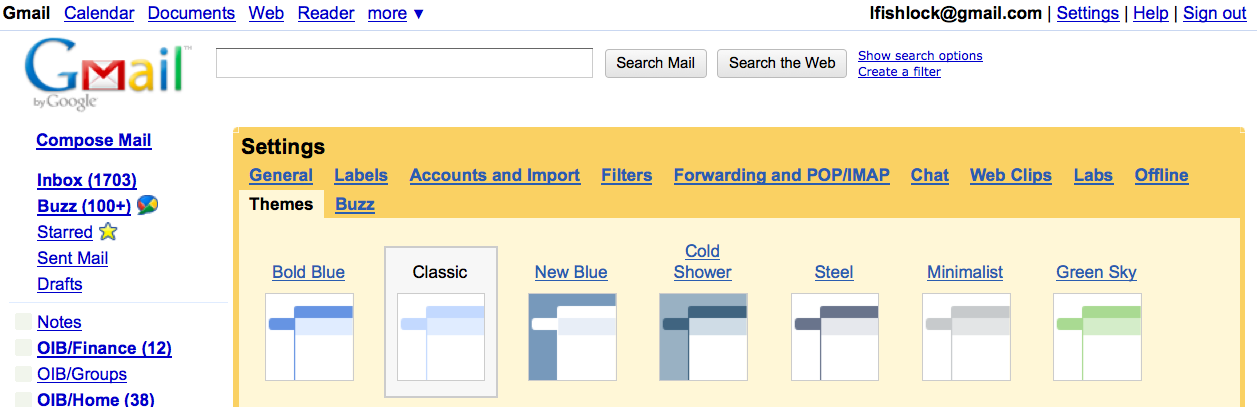
Scroll through all the many Themes and choose one you like.
I chose Ninjas. Because they are just so darn cool.
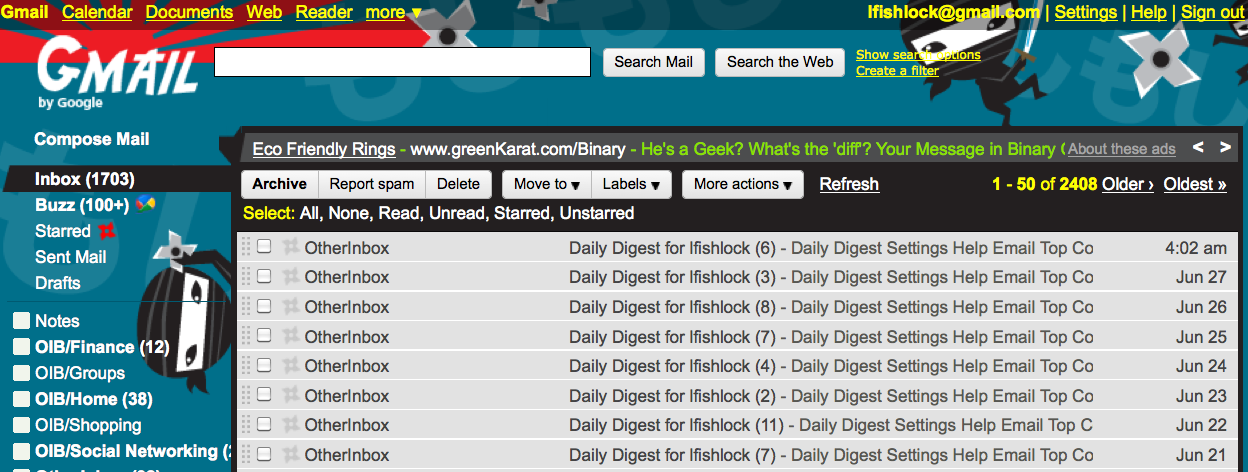
So which one did you pick?
Have fun!
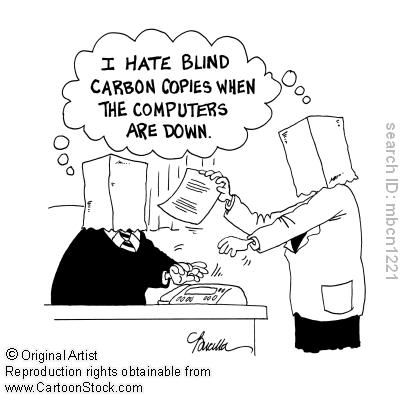 CC and BCC are email tools to use when trying to get your message out to a few people or to 50. However, they should be used quite differently or else you will find yourself on the wrong side of netiquette, whether sending to a customer or friend.
CC stands for “Carbon Copy”. Do you watch Mad Men? Notice how the ladies type on their typewriters with a piece of carbon paper then use that to roll out copies to all the, um, Mad Men? Think of CC on your email client as just that. Sending an important item to one person, than CC’ing the rest of the group should only be used when you are trying to have a multi-person conversation with feedback, and you want everyone involved on that conversation and can see others that are in the conversation. Most of the time, it is for people you know, and they know you.
When do you use BCC? BCC stands for “Blind Carbon Copy”. Meaning, your list is “blind” to everyone else. This should be used (sparingly) when sending anything. For one, some people think it is a sneaky way to send emails without the other’s knowledge. So limit that.
The one time you should be using BCC, is when you feel absolutely compelled to send a chain letter, jokes you only think are funny, political diatribes and other useless information I just do not want. Ever. But, if you send them as a BCC, I won’t get nearly as angry than if you send it by CC. On a BCC reply, I will just write “UNSUBSCRIBE” and please ask you to stop. If you CC me with 150 other people I do not know with a Nigerian Prince offering a million dollars, I will unsubscribe and have you blacklisted. Blacklisting may be a little harsh, but I will not be happy.
So, lesson here today. Use CC when you need to send an email with a multi-person conversation and in need of feedback and communication from (hopefully) people you all know and/or work together.
Only use BCC on useless garbage you feel compelled to send to many people for fun, just because if you don’t, you will have bad luck for 12 years if you don’t send it out to 250 people immediately. So says Saint Jude. Or Saint Oprah.
And, if you are the recipient of a CC or BCC chain letter or garbage of that ilk and you do not want anymore emails, even if it is from your sister-in-law or best friend from 1st grade, the most courteous and best thing you can do is simply unsubscribe from their future emails. You can also try to explain why they need to stop, even though it may fall on deaf ears. Always educate others.
And, if you are constantly sending out information on your business, you need to get a permission-based email system like Constant Contact to use that has an opt-out/unsubscribe at anytime. It’s the law. Constant Contact is a valued sponsor and partner for Geek Girl Camp. We highly recommend them for the best permission-based email system available. Check them out here.
Hurt feelings over email do not take precedent on your valuable time. And sanity.
STOP THE MADNESS!
Someone asked how to add BCC (Blind Carbon Copy) to their Mac using the Apple Mail client. This is easy.
Just go to your email and compose a new message. You will see it has a “To” line, and a “CC” line. See the small drop down to your left? Click that open.

You will see your CC address field checked off, and then you will see your BCC address field. Check that.
Voila! Instantly you will have your BCC address field to send emails.

Check in tomorrow as we discuss when to use the BCC address field.
Spoiler Alert: Almost never…